
Customer forms
Intake and consent forms customers fill in on their phone
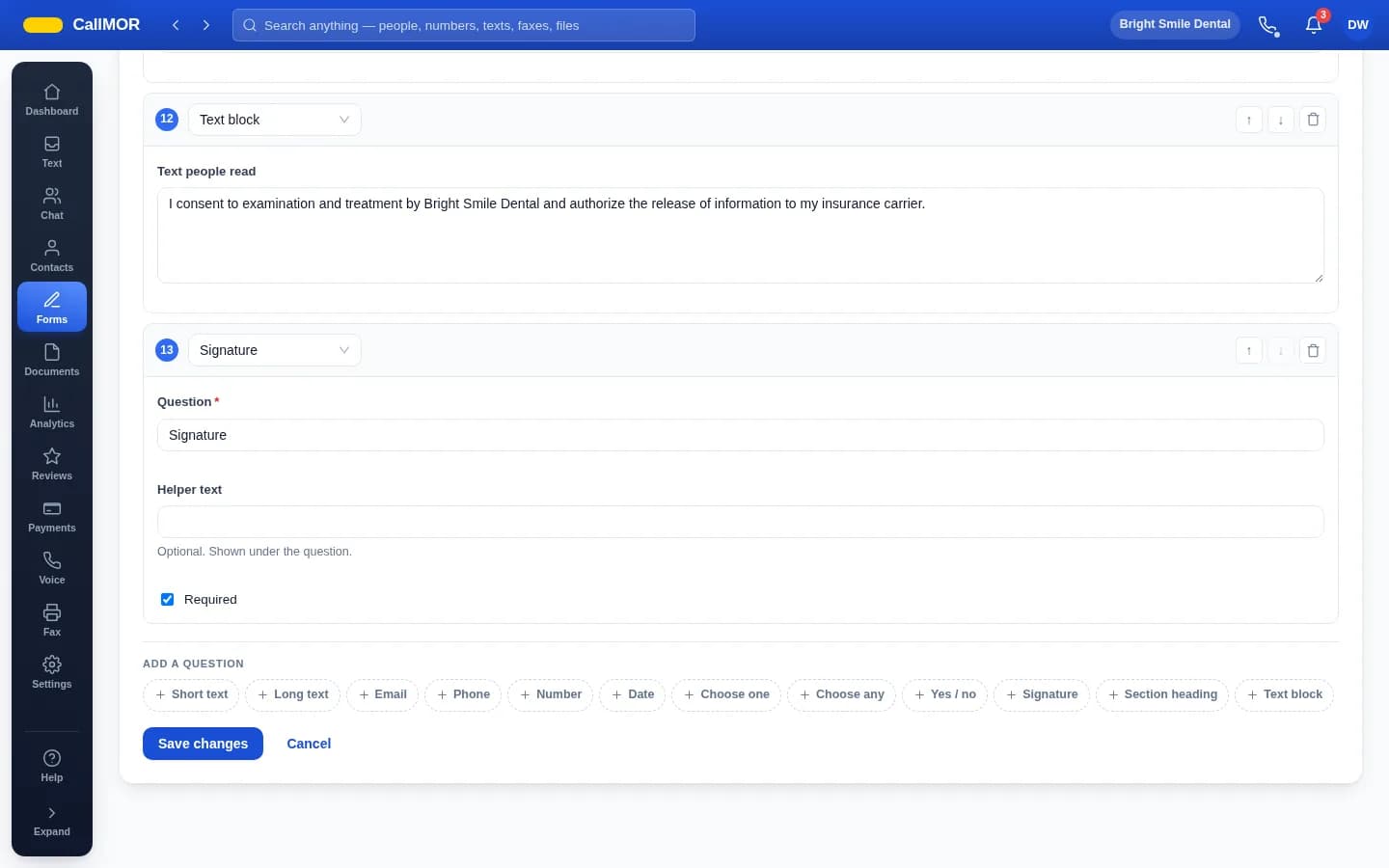
Build a form once and send it as a link. Answers land on the customer's record — signed, timestamped, and in exactly the wording they were shown.
Five forms come with every account: new customer intake, permission to text you, booking confirmation, payment terms and feedback. Healthcare companies also get a clinical pack — medical history, dental history, consent to treatment, a privacy-notice acknowledgement, insurance details and a pre-visit screening.
Customers open the link in whatever browser their phone already has. There is nothing to install and nothing to sign in to, so paperwork is finished before they arrive.
What you get
- Twelve question types, including yes or no, choose one, choose any, dates, signatures and plain text blocks for consent wording
- Send as a link or a QR code at the desk, on your website or in an email, and set how many times it may be used
- With texting on, text a form straight to a customer; the link closes the moment they finish
- Watch each link — waiting, opened, completed, expired or revoked — and revoke one instantly if it went to the wrong person
- Change a question later and the form gets a new version; old answers keep the wording they agreed to
- Signatures are kept with the time and the address they were signed from
- Send every response on to your other software through a signed webhook — Zapier, Make, n8n or your own endpoint
Common questions
Do customers need an app or a login?
No. The link opens a plain page in their phone's browser — whatever browser the phone already has. There is nothing to install and nothing to sign in to. They answer the questions, sign where a signature is asked for, and the response lands on their record the moment they finish.
I changed a question. What happens to answers already collected?
Nothing. The form gets a new version and earlier responses keep exactly the wording they were given. Every answer stays attached to the customer it came from, with the questions preserved as they were asked at the time — so what someone agreed to is never rewritten after the fact.
Can I send a form without texting?
Yes. Share a form as a link or a QR code at the desk, on your website or in an email, and set how many times it may be used. Texting a form straight to a customer needs the texting service; link and QR sharing work without it, including during the free trial.
Try customer forms free
Free for 30 days: documents, forms, reviews, team chat and extra users. No card needed. One free local number that forwards calls to your cell, with a verified mobile number. Texting, the phone system, fax, payments, HIPAA mode and analytics need a card and are billed from the day you switch them on.
Start free