
Reviews
Ask for a review after every visit, by text, email or link
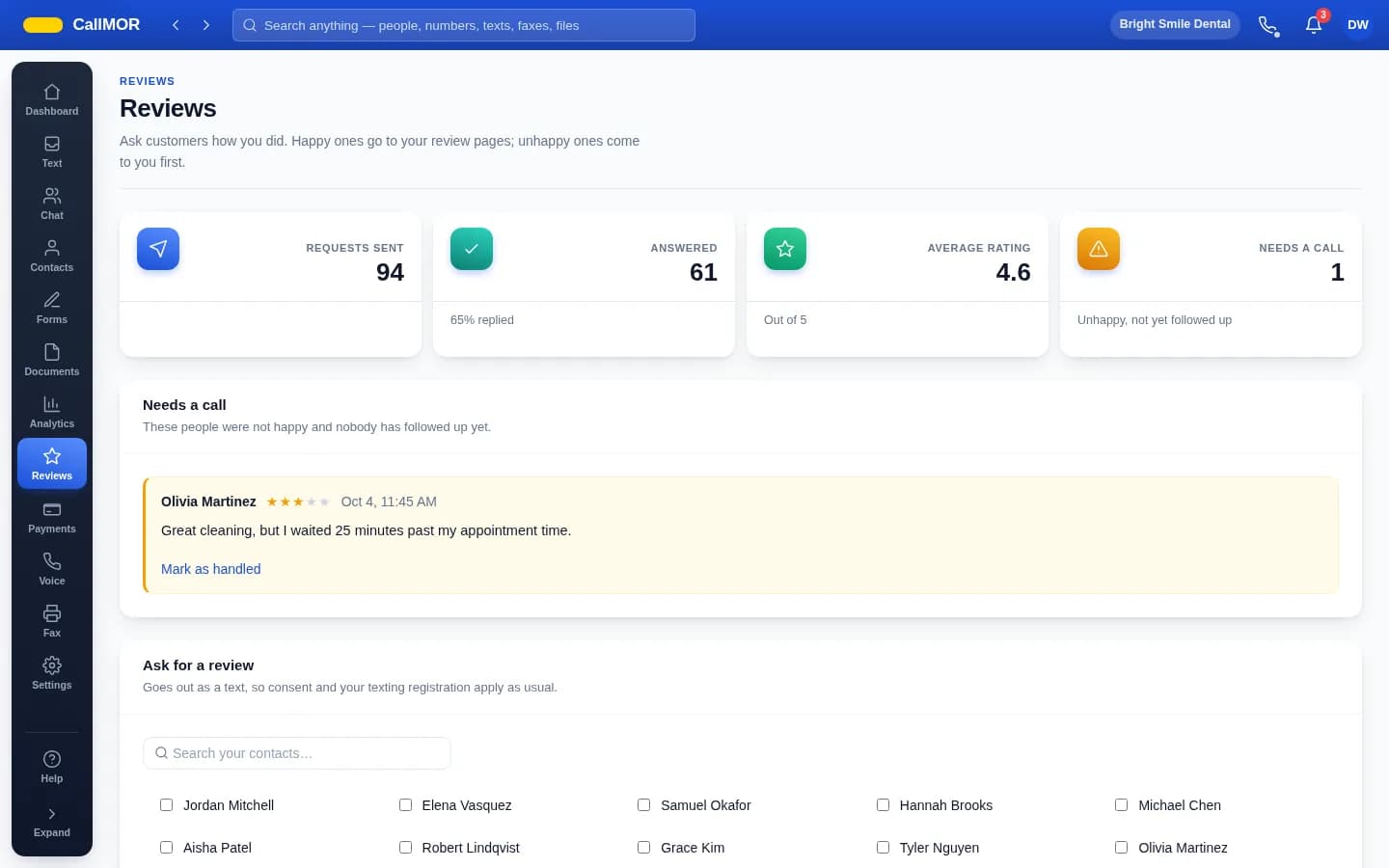
Send a review request after you've served someone. They rate the visit, see your Google or Facebook links, and low ratings reach a manager privately so someone can pick up the phone.
Choose the rating that counts as a good visit. Customers at or above it see your Google and Facebook review links with your thank-you message. Below it, they get a private box to tell you what went wrong, and your managers are told — the Reviews page keeps a list of who needs a call.
Ask whichever way reaches the customer: by email to the address on their contact record, as a link you copy and send however you like, or by text once the texting service is on.
What you get
- Ask by email, by link, or by text once the texting service is on
- Set the rating that counts as a good visit
- Good ratings see your Google and Facebook review links with your thank-you message
- Low ratings open a private box to tell you what went wrong, and managers are notified
- The Reviews page keeps a list of who needs a call
Common questions
Can I use reviews without texting?
Yes. Send requests by email to the address on the customer's contact record, or copy a link and send it however you like. Texting a review request needs the texting service. Whichever way you ask, the customer rates the visit and is routed the same way afterwards — public review links for good ratings, a private box for the rest.
Which review sites does it link to?
The Google and Facebook review links you add in the Reviews settings. Customers who rate their visit at or above the rating you choose as a good visit see those links along with your thank-you message, so a happy customer lands one tap away from leaving a public review.
Can I send requests only to customers I expect to be happy?
Review sites have their own rules about asking for reviews — Google's, for instance, don't allow asking only the customers you expect to be happy. Send requests to everyone you serve. The routing still works in your favor: good ratings see your public review links, while low ratings reach a manager privately so someone can pick up the phone first.
Try reviews free
Free for 30 days: documents, forms, reviews, team chat and extra users. No card needed. One free local number that forwards calls to your cell, with a verified mobile number. Texting, the phone system, fax, payments, HIPAA mode and analytics need a card and are billed from the day you switch them on.
Start free